
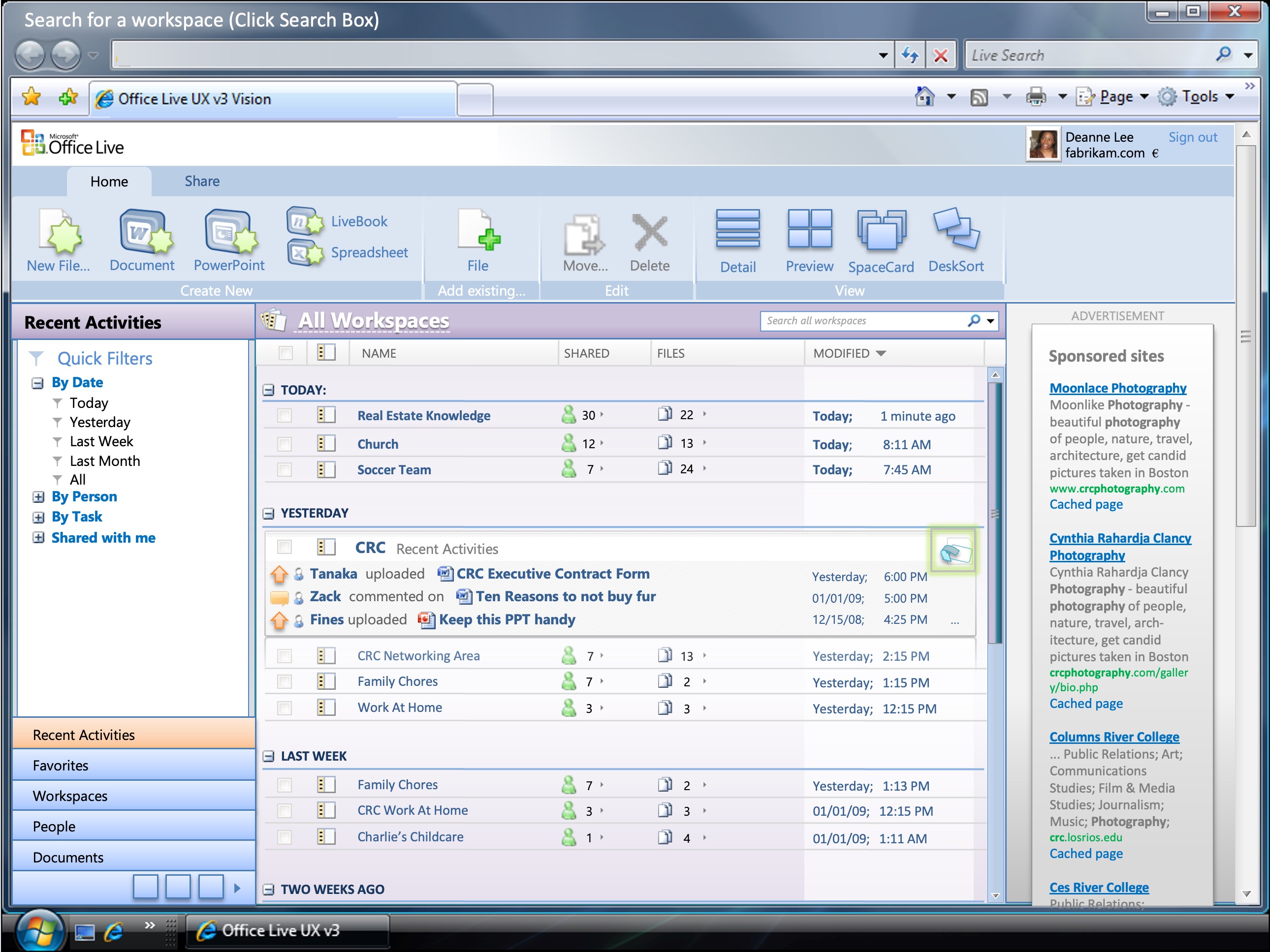
Office Live Workspaces Vision

Transitional Office Live Workspaces and Small Business vision work bridging desktop-era Office patterns into cloud workspace setup, sharing, service configuration, and animated future-product storytelling.

  • RoleUX Designer II
  • Timeline2008
  • ScopeOffice Live / Workspaces / Small Business
  • Office Live
  • Workspaces
  • Small Business
  • Future Vision
  • Interaction Design
  • Animated Presentation
  • Predictive UX
Office Live Workspaces Vision case study cover

Overview

Brief

Make Office Live Workspaces and Office Live Small Business easier to understand by clarifying setup, storage, sharing, templates, publishing, and future collaboration concepts.

Role
UX Designer II
Constraint
Small-business and information-worker audiences needed simpler paths through site setup, file storage, sharing, publishing, collaboration, and service configuration.
Outcome
Produced clearer Office Live setup and sharing concepts plus an animated future-vision narrative for org-wide communication.


Project context

my role

UX Designer II

client

Microsoft

team

  • 1 UX Designer (me)
  • 1 Technical Fellow / Visionary

tools used

Feature Design Lead Design Strategy User Experience Wireframing Prototyping Presentations

platform

Cross-platform product experience

FEATURED EVIDENCE

Highlights

A quick scan of the moments that best explain the problem, the pivot, and the payoff.

Why it mattered

Story

Hypothesis

A structured future-vision narrative and clearer setup flows would make ambitious Office Live concepts easier for the organization and customers to understand.

Insights

The work connected Office Live Workspaces file sharing, Office Live Small Business site-building, Office 2007 Ribbon-era discoverability, and future collaboration patterns.

CASE STORY

Flows

Each lane isolates the clearest evidence so reviewers can scan the work in order.

01

Research · Inputs, audits, discovery

Tools for Your Job · Work Essentials

3 shown · +1 more

02

Direction · Chosen path and rationale

Office Live transition

3 shown · +2 more

03

Wireframes · Structure and flow logic

Office Live Configurator A · B comparison

3 shown · +5 more

04

Design · Finalized UI and specs

Workspaces · Small Business context

4 frames

CASE EVIDENCE

Deliverables

RESEARCH

Tools for Your Job · Work Essentials

5 assets flow

DIRECTION

Office Live transition

6 assets flow

WIREFRAMES

Office Live Configurator A · B comparison

9 assets flow

DESIGN

Workspaces · Small Business context

4 assets flow

How it moved

Decision points

  1. Direction Chosen path and rationale

    Rework home shell, Configurator, storage plans, templates, publishing steps, and Workspaces sharing flows while turning blue-sky concepts into an animated PowerPoint vision.

  2. Validation Testing and refinement

    Daily requirement capture and wireframe reviews with a Technical Fellow, UX leads, designers, PM, engineering, and late-stage CSS/dev collaboration shaped the work.

  3. Engineering Handoff, specs, implementation

    Wireframes, flows, HTML prototypes, animated vision decks, UX specs, Configurator assets, and video demos supported internal evangelism and implementation handoff.

Resulting shift

What changed

  • Blue-sky product vision for Office Live Workspaces
  • Small Business setup, Configurator, template, and publishing flows
  • Daily requirement capture with a Technical Fellow
  • Animated PowerPoint and prototype artifacts used for org-wide evangelism

Tools

Tools used on project

The working set used to research, prototype, align, and ship this case.

  • Microsoft PowerPoint
  • Photoshop
  • Microsoft Visio
  • Microsoft Office
  • Animate
  • Silverlight

See it in Action

A quick walkthrough of the decision path, interface behavior, and delivery proof behind Office Live Workspaces Vision.

Captions and speed controls remain available in-player for fast review.

Downloads

Downloads

Project files, specs, decks, and readouts available for download.

Worked with the following clients